

Enphase Battery Install, Firmware Update Microinverter Fail: What Buyers Need to Know
Your new battery and inverter won't talk after a simple firmware update. You're now stuck with an expensive, useless system, and the installer is pointing fingers.
Buyers must verify battery-inverter firmware compatibility beyond just matching chemistry or voltage. True compatibility depends on specific cable pinouts, communication protocols (register maps), master/slave rules, and exact model numbers. A versioned compatibility matrix from the manufacturer is the only reliable proof before you buy.
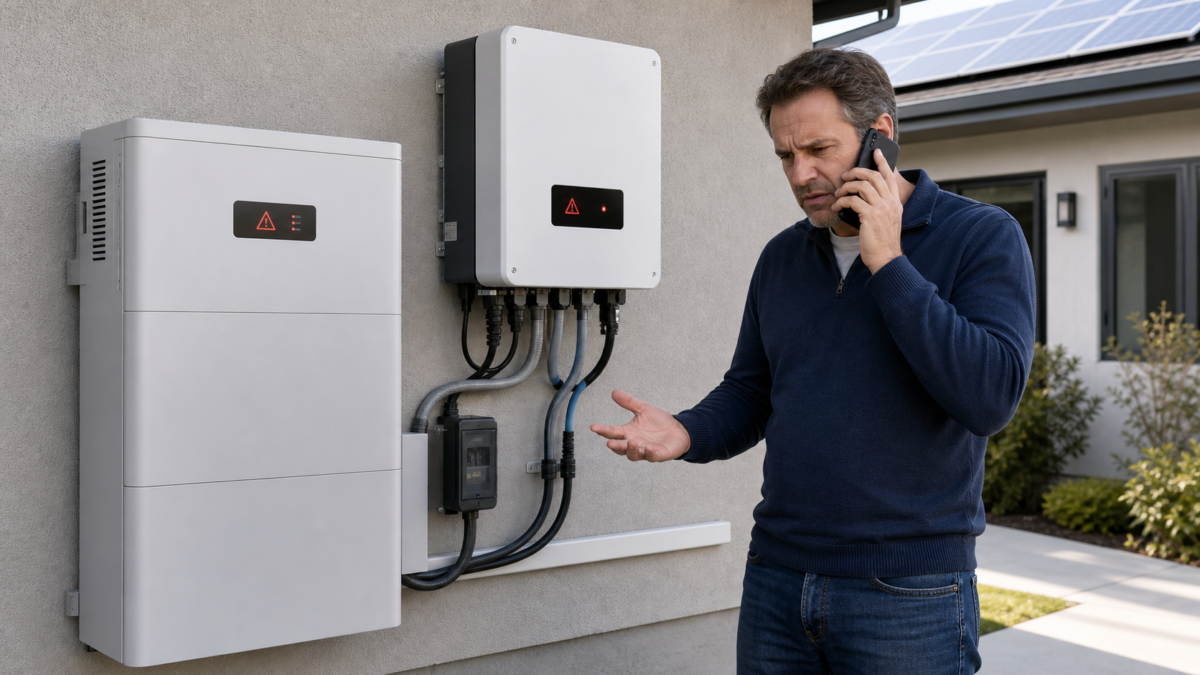
I've seen this happen on job sites, and it's a nightmare. You spend weeks planning and thousands of dollars on a system that looks perfect on paper. The installer connects everything, powers it on, and… nothing. Or worse, it works for a month until an automatic firmware update from one manufacturer breaks the delicate communication link, turning your smart energy system into a dumb box. What stands out to me is how easily this problem can be avoided if you know what to look for. The spec sheets and marketing brochures almost never tell the whole story. I'm going to walk you through what I've learned so you can ask the right questions and demand the right proof before a single wire is connected. Let's dig into the details that matter.
What Enphase Battery Install, Firmware Update Microinverter Fail Reveals About the Real Constraint?
You thought your system was compatible, but an update broke it. Now the manufacturers blame each other. The real problem isn't the hardware; it's the invisible, undocumented communication rules.
The real constraint is not the battery chemistry or inverter voltage, but the closed-loop communication protocol. This includes the physical cable pinout, the digital register map, and the master/slave hierarchy. These details are firmware-version specific and are often not public information.
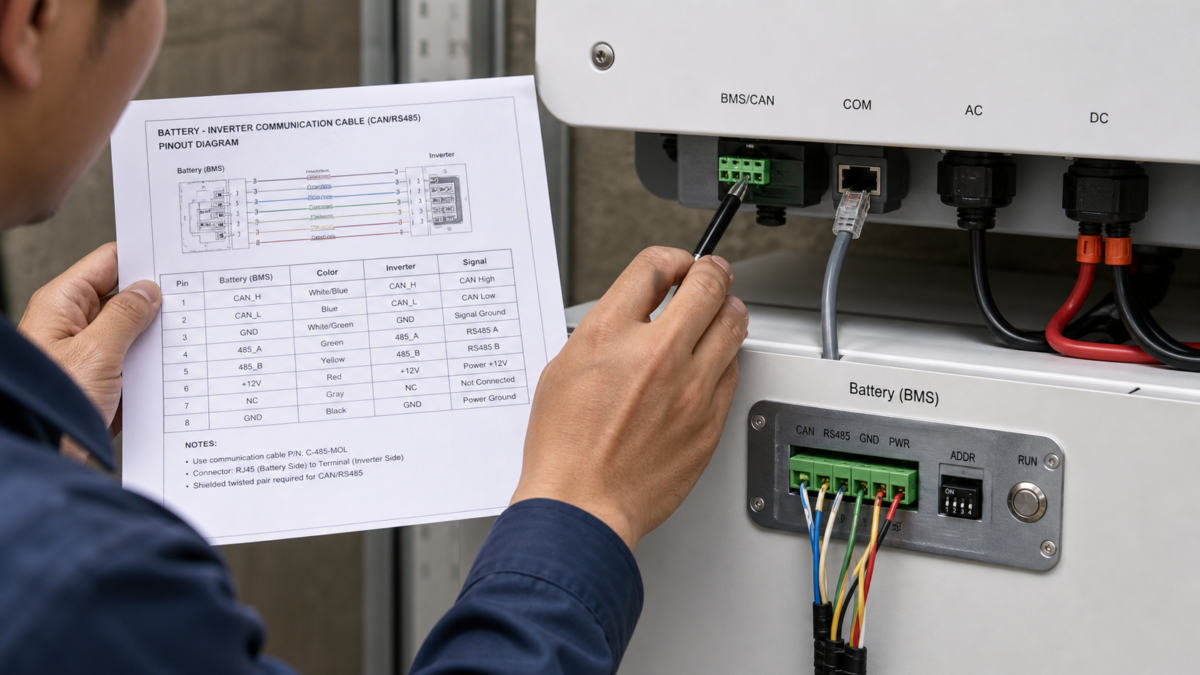
When I talk about compatibility, I'm not talking about the big numbers like voltage or chemistry. The real compatibility happens at a much deeper level. Think of it like trying to connect two people. Just because they are both human (matching chemistry) and in the same room (matching voltage) doesn't mean they can have a conversation. They need to speak the same language, follow the same social rules, and be physically connected, maybe by a telephone line that's wired correctly. It's the same for batteries and inverters. I've learned to break it down into three critical layers where things can go wrong.
The Three Layers of Communication
A firmware update can change the rules at any of these layers, breaking a previously working system. That’s why a simple "it's compatible" statement is not enough. You need to know it’s compatible for your specific equipment and firmware versions.
| Compatibility Layer | What It Controls | Common Point of Failure |
|---|---|---|
| Physical Layer | Cable Pinout & Connector Type | Using the wrong cable, even if it fits, because the internal wires are in a different order. |
| Data Link Layer | Master/Slave Hierarchy | Both the battery and inverter are configured to be the ‘master’, so they both try to start the conversation and neither listens. |
| Application Layer | Register Map & Commands | A firmware update changes the memory address for “State of Charge,” so the inverter is reading the wrong data. |
Which Measurements Matter More Than Nameplate Data for Battery–Inverter Firmware Compatibility?
You checked the voltage and chemistry on the spec sheet. Everything matched. So why isn't your system working? Because the numbers that truly matter are never printed on the nameplate.
Forget nameplate voltage and capacity. The critical measurements are the communication protocol version (e.g., CAN 2.0B), the baud rate (e.g., 500 kbit/s), the exact firmware version numbers for both the battery BMS and the inverter, and the specific communication cable part number.
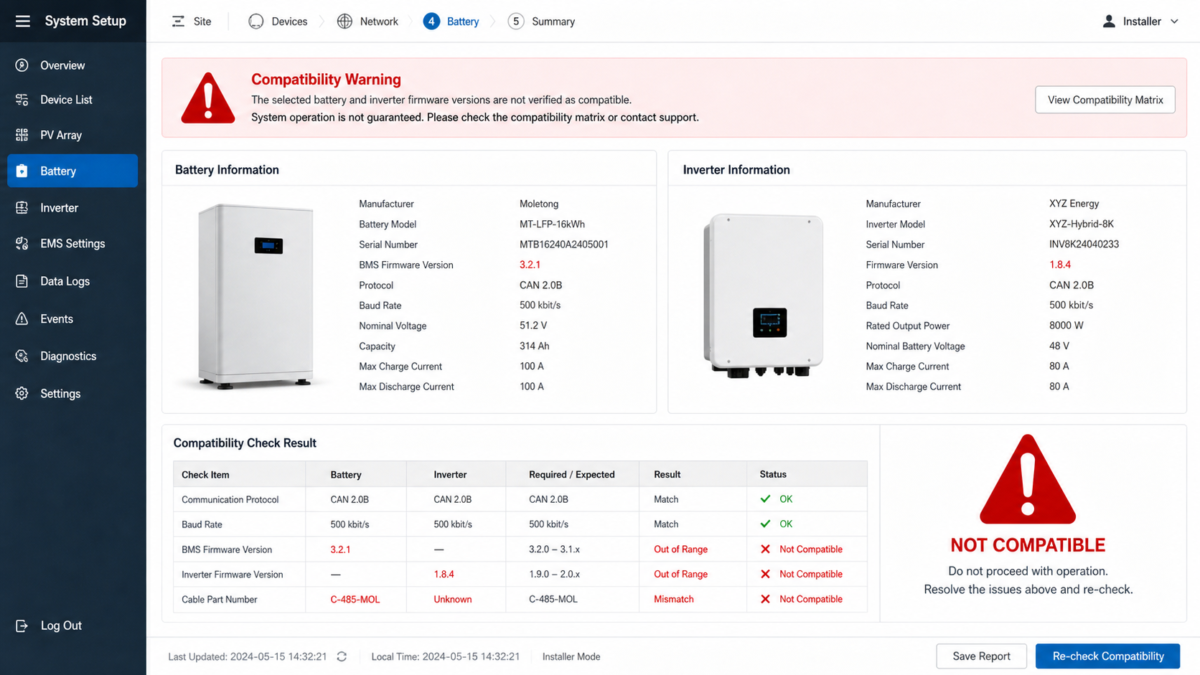
In my work at Moletong, I never rely on a generic compatibility claim. A simple statement like "Moletong batteries work with Brand X inverters" is a huge red flag for me. It's dangerously vague. The real proof is in the details, which we document in what I call a versioned compatibility matrix. This is not a marketing document; it's a technical statement that is only valid for a specific combination of products. For instance, I would only publish a dated statement saying, "The Moletong MT-LFP-16kWh battery, running BMS firmware v3.2.1, is compatible with Inverter XYZ, running firmware v1.8.4, only when using our proprietary CAN-bus cable, part number C-485-MOL." The next firmware version from either us or them could break this compatibility, and a new round of testing would be required. The only way I can be certain is to physically connect the two units in our lab and use a bus analyzer to monitor the data packets, proving they are communicating correctly. This is the level of evidence you should be asking for.
How Charge Limits Can Undermine the Expected Result?
Your system is finally communicating, but the battery never fully charges or discharges. You aren't getting the performance you paid for. The problem often lies in hidden, conservative software limits.
When an inverter and battery are not perfectly compatible, the inverter may default to generic, conservative charge and discharge limits. This can prevent the battery from reaching its full State of Charge (SoC) or C-rate, crippling performance even if no error codes are shown.
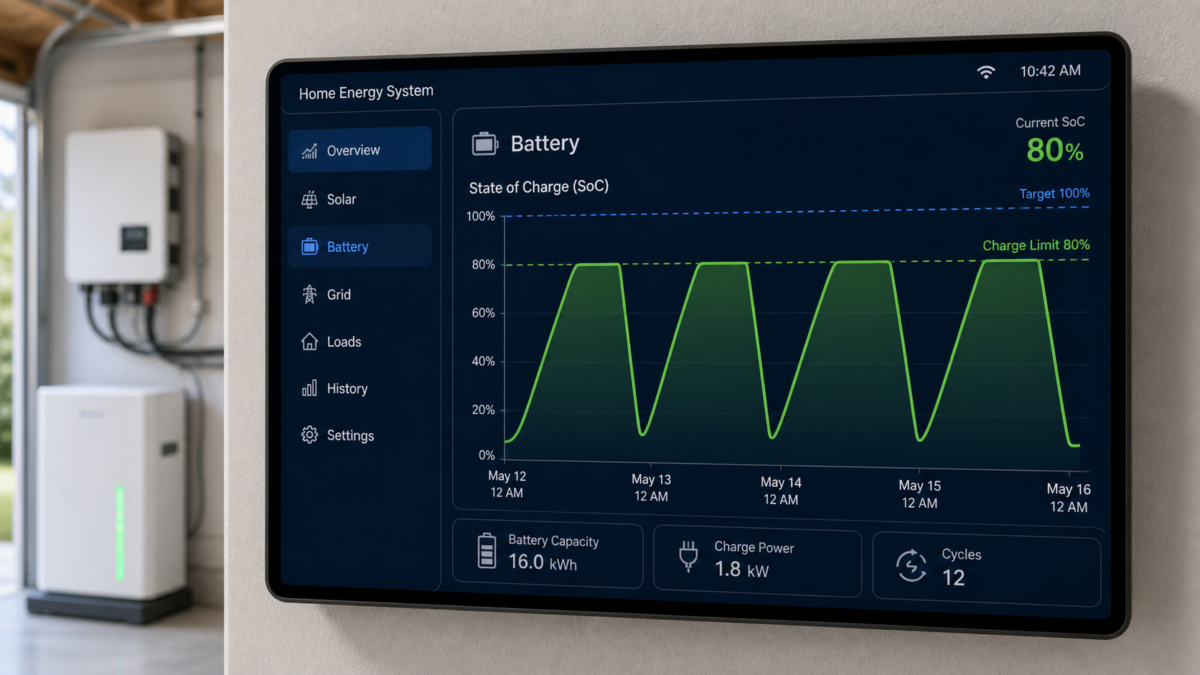
This is one of the most frustrating problems I see. The system seems to be working—no alarms, no warnings—but the customer isn't getting the full capacity of their battery. The battery's Brain, the Battery Management System (BMS), is designed to communicate its exact status and needs to the inverter. It should be saying things like, "My state of charge is 98%, please reduce the charge current to 5 amps," or "My cell temperature is high, stop discharging for now." If the inverter doesn't understand this specific language because of a firmware mismatch, it will often switch to a "safe mode." It might say, "I don't recognize this BMS profile, so to protect myself and the battery, I will never charge it above 80% or discharge it below 20%." Just like that, you’ve lost 40% of the battery capacity you paid for. This not only hurts performance but can also put your warranty at risk, as operating the battery outside of the manufacturer's specified communication protocol could be seen as misuse.
Which Acceptance Tests Should Buyers Request for Battery–Inverter Firmware Compatibility?
The installer says the job is done and hands you the bill, but how can you be sure everything is right? You need undeniable proof that the system will work reliably before you sign off.
Buyers should request a documented commissioning log before making the final payment. This log must show the inverter correctly identifying the specific battery model and serial number, and a full charge/discharge cycle that confirms the system reaches the battery's specified State of Charge (SoC) limits (e.g., 100% and 10%).
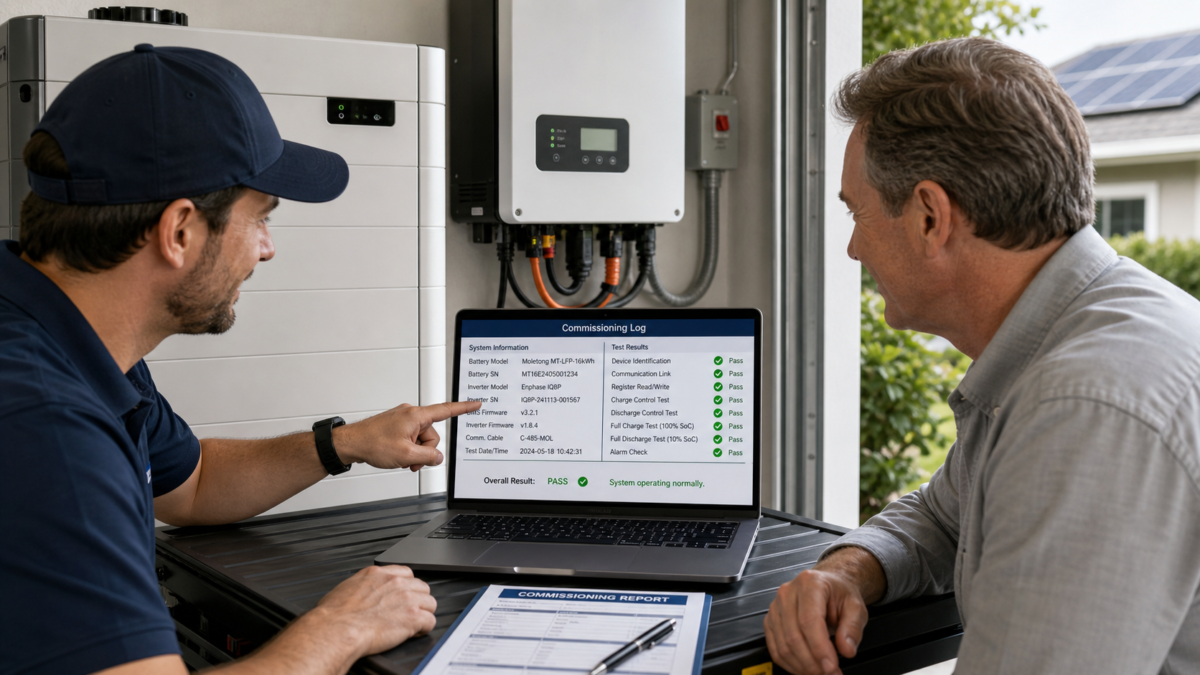
After all the talk about what can go wrong, I want to give you a clear, actionable list of what you should demand from your installer before you consider the job complete. Think of this as your final checklist to protect your investment. I always tell my clients that talk is cheap; I want to see the data. A professional installer should have no problem providing this proof. It shows they've done the job correctly and that your system is configured for optimal performance and longevity.
Essential Commissioning Proof
- System Recognition Test: Ask for a screenshot or photo of the inverter's commissioning software. It must display the full, correct model name of your battery (e.g., "Moletong MT-LFP-16kWh"), not a generic label like "Li-ion Battery." This proves the inverter is using the correct performance profile.
- Full Cycle Test: The installer must demonstrate that the system can perform a full charge up to 100% State of Charge (SoC) and a full discharge down to the battery's specified minimum SoC (e.g., 10%). This is the only way to prove the charge limits aren't being artificially restricted by a compatibility issue.
- Documentation Handover: Before you sign the final paperwork, you must have copies of three things: the specific compatibility statement for your exact battery and inverter models and firmware versions, a clear photo of the communication cable and connector used, and the final commissioning log itself. This is your proof if any issues arise later.
Conclusion
A chemistry or voltage match proves nothing about real-world compatibility. Demand documented, version-specific proof—including cables, firmware, and commissioning logs—before you accept any battery system installation.

Leave a Reply